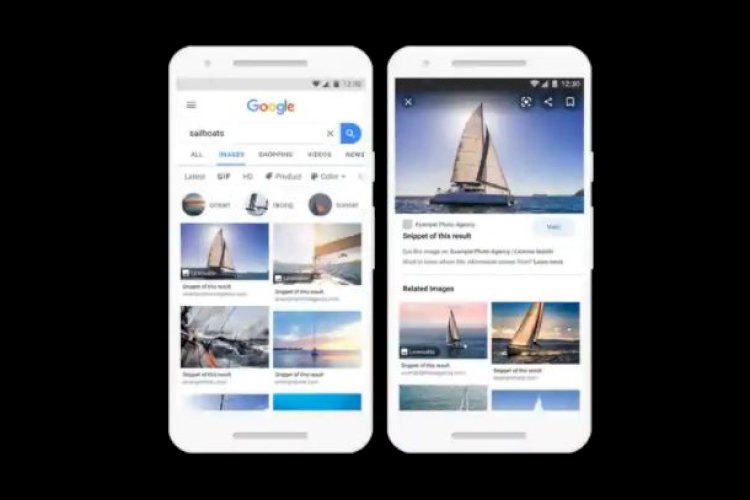
When you search for images on Google, not all of the images that appear are free to use. If you don’t know that, you may be violating some expensive copyright laws if you use some images that have ownership rights without actually purchasing them. While some images can be used by giving the original source credit to the original owner of the image.
While images found in the Google search engine are a starting point for most of us, especially content owners and creators, finding the right image is often a problem when you want to ensure that uploading it will not cause you legal obligations. However.
But thanks to Google’s updated image search feature, it’s easier for you to find images that are free to use. You can also find images that are not free to use but that you can license and then use for free. Here’s how you can do that:
How to find copyrighted images on Google
Search for the image you want just as you normally would on Google, and once the results appear, click Image from the options below the search bar.
– Click “Tools” below the search box to get a filter menu.
– Now, click on “Usage Rights Usage Rights You’ll see the option to sort images by their license – Creative Commons licenses or Commercial & other licenses.
Google now also tells you how to get the rights to a licensed image directly from its description.

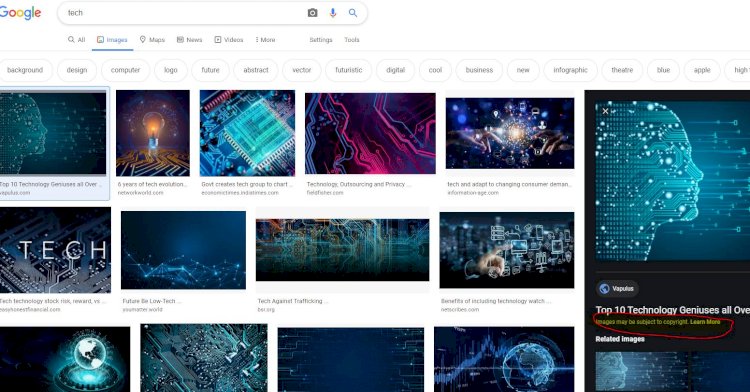
Now, if you don’t click on any of the usage rights options, Google will show you all the images that fit your search criteria, and all images that lack license data will be labeled with a warning – “Images may be subject to copyrightBelow each picture.
Google does not provide image licensing details unless the creator or publisher has already provided this information, so the best option to avoid using a copyrighted image is to always look at the bottom of each image.
If you can’t find the right image on Google, you can always use images through Specialized photo sites without licenses .