What is the FlexClip platform?
Nowadays, your marketing efforts are not complete without video! It’s a must-have medium that all of us, especially those running online (or online) businesses, will have to get used to…but fortunately, producing great-looking, engaging videos is no longer expensive or difficult. In this article, we take a closer look at FlexClip, a free to low-cost service that anyone — yes, anyone — can use!
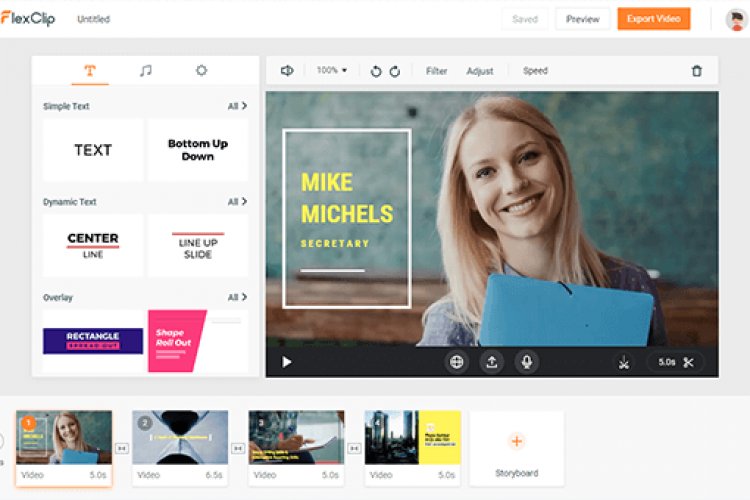
flexclip platform It is a free, easy-to-use online video creation tool that helps business owners, online store owners, and designers, as well as all those interested in creating and creating content, learning, presentations, and business, to design professional videos that can be used for various purposes in an easy and free way.
The Flex Clip platform helps you produce many video clips through its platform with ease and without the need for any advanced skills in video making, as the platform Flexclip contains thousands of ready-made video templates that you can reproduce and use again.
Flexclip platform features
1- Free video editing
Quickly upload and edit your videos and photos for free, without having to download any additional software.
2- Hundreds of video templates available
Templates cover various business, lifestyle, learning, marketing, and can produce a perfect video for social media like YouTube, Facebook, Instagram, etc.
3- Various tools to add personality to the video
Level up your video with text animations, intros/outros, and millions of elements and add-ons.
4- Millions of video clips, photos and music
Explore tons of royalty-free videos, photos and music.
5- Support most video formats
Support most popular formats, e.g. MOV, WEBM, M4V, MP4, AAC, FLAC, M4A, MP3, etc.
6- High definition video
Export at 480p, 720p, or 1080p
How can I register on the flexclip platform?
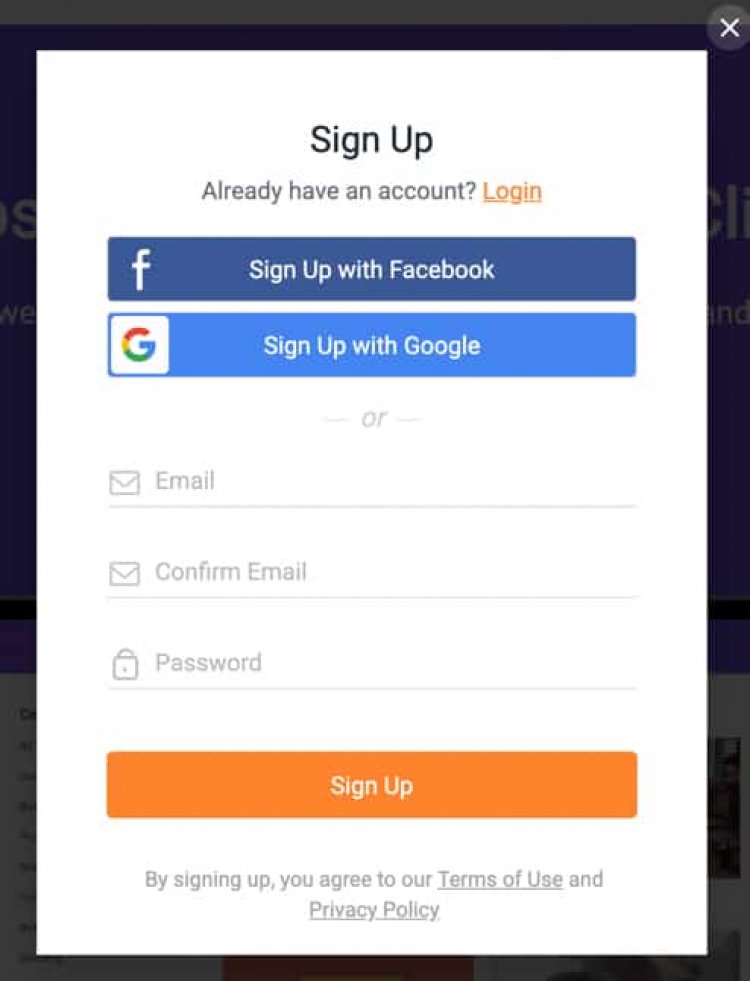
You’ll need to create a confirmed account before you can use the free editor, but that’s a quick task. Sign up on https://www.flexclip.com Using an email address, or use your Facebook or Google login credentials instead. Next, confirm your account by clicking the link in the confirmation email, and log in. Once you’re signed in, you’re ready to create your first video.
How do I use the flexclip platform
You can use the Flex Clip platform to produce professional videos, which is one of the most important attractions, whether for content creators, electronic stores, or online businesses, by following the following steps.
First: Register the account on the platform
Confirm the email in the previous step, proceed to step 2
Second: Select a template for your video
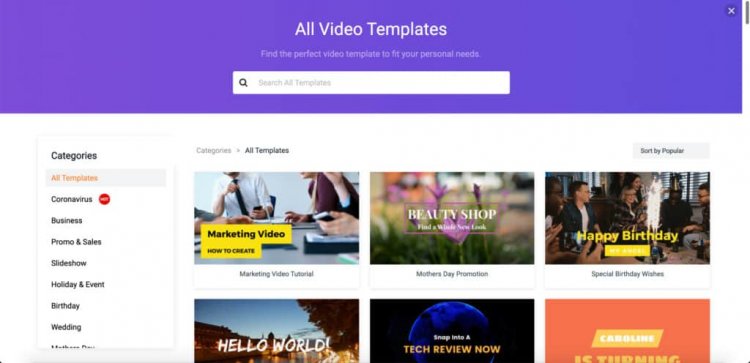
If you want to produce a video quickly, I recommend starting with one of the available templates and adjusting from there. They have a lot of options in a variety of categories for commercial and non-commercial purposes, such as social media, education, reviews, etc. However, if you want to make something creative yourself, you can also start from scratch.
Many business owners, brands or online stores resort to investing large sums of money and setting huge budgets in order to create a professional design, whether for the brand’s logo or a design for an advertising campaign or page on any social media platform and other purposes for which professional designs are used.
Third: Editing “Video Contents”

Once you’ve selected your template, you’ll see the media in the storyboard layout, which you can rearrange by dragging and dropping things into the ones you want to appear. You can also copy content, and of course change fonts, colors, texts, logos, music, and much more.
4. Preview the video
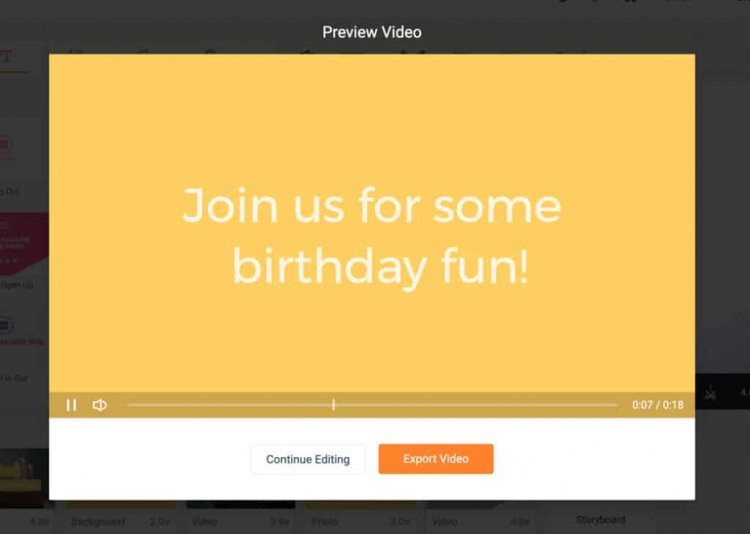
When you’re satisfied with all your edits, click the play button to preview your video. The video will open in a pop-up window, so if you want to make additional edits, just close it and continue editing, and if it looks good to you, save it, and proceed to the export stage.
5. Export video

You have three quality options when exporting: 480p, 720p, or 1080p. The basic version (480p) is included with the free account, but you’ll have the FlexClip intro logo on the video (see image above). To be able to export 720p, you must be subscribed to export at the higher resolution, so you will need to upgrade your subscription.
Once you select your download option, the video is displayed and exported. It tells you how long it will take, but it’s pretty fast for a short video. It took me about a minute and a half to process and download my sample video at 480p.

There are many photo and video editing platforms out there, but FlexClip gives you a better video user experience (in my humble opinion). If you choose to upgrade, this service is also cheaper and you can check out Price packages .
We will show you a video clip of how to use the platform and its various tools and how to use them to create a professional video design for your knowledge, according to the goal of the design.