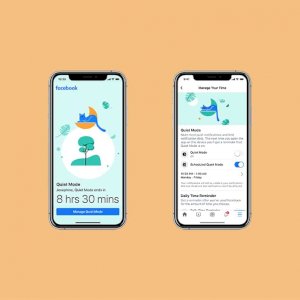
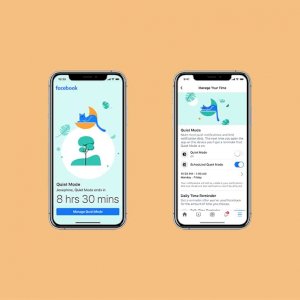
On Thursday, Facebook launched a new feature that allows users to mute all notifications from its main application on mobile devices. It began testing the new feature called (Quiet Mode) last month, and now it has announced its official launch to be available to iOS users during the following weeks, and then to Android users starting next May.
The company is placing the feature alongside other response efforts to the emerging coronavirus (Covid-19) crisis, and it has been integrated into the Your Time on Facebook section, which was launched in 2018 with the aim of enabling users to calculate and manage the time they spend on the network.
Facebook launches the “Quiet Mode” feature (Quiet Mode) represents part of broader efforts by technology companies to address societal concerns about the negative impact of technology on users’ mental health. There have been growing concerns about the harmful effects of smartphone and social media addiction, which may contribute to increased depression and loneliness – especially in young people.
As people spend more time alone at home, it can become easy to fall into bad habits and spend more time online. Quiet Mode is designed to address this scenario. As for how the new feature works, it allows users to mute all notifications except for privacy update notifications and other important notifications.
Although Facebook already provides the ability to mute notifications from the application, (Quiet Mode) differs in that it allows setting a period of time to mute notifications. Facebook launches “Quiet Mode” feature
(Quiet mode) can be accessed – when available – through
- Go to the main menu
- Then (Settings and Privacy),
- Then (Your Time on Facebook),
- Then click on (Manage Your Time), where the user will see two options: (Quiet Mode) and (Scheduled Quiet Mode).
The first allows you to block all notifications, while the other allows you to specify the times and days in which you want to stop notifications. When (Quiet Mode) is activated, a reminder message will appear to users every time they open the application, and in the message the user will also see the time remaining until the end of the period of time specified to stop notifications.