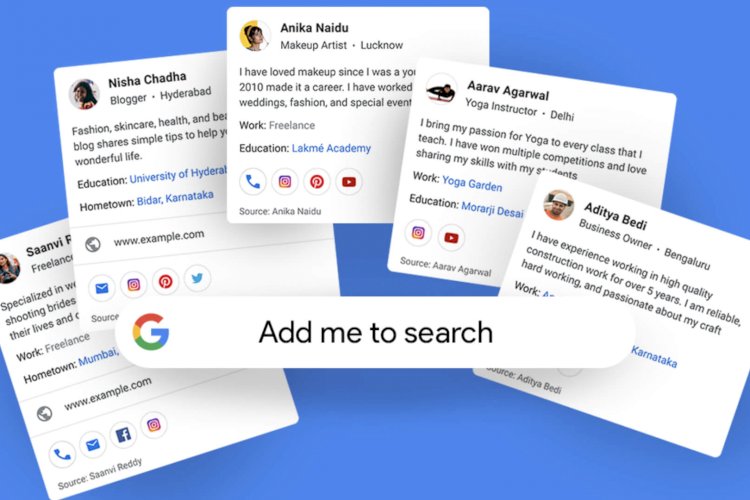
Google has introduced a new feature on the search engine that allows users to create their own virtual visiting cards on the platform. The newly launched feature called “People Cards” aims to help people build their online presence and discover others.
The People Cards feature will enable users to create a virtual visiting card on Search, highlighting their current website or social profiles, and supplementing it with information about themselves that they want others to know.
Google says the new feature aims to help millions of individuals, influencers, entrepreneurs, potential employees, freelancers, freelancers or anyone else who wants to get discovered and help the world find them.
As with any feature, Google has put some checks and balances in place to ensure that the information provided by users is reliable and authentic and that people using this feature are protected from offensive and offensive content. First, the company limits one People Card per Google Account. After that, each new card will be authenticated with a unique mobile phone number.
Additionally, users can opt out of the feature at any time which may result in their details appearing in search. The company has also created a feedback button that will enable users to report impersonators and abuse.
The newly launched People Cards feature will be available to users around the world on their mobile phones in English.
How do I make a Google card when I am not in India?
People outside India were able to set up their People Card by using a VPN, Aleyda Solis shared a screenshot on Twitter of her People Card being successfully added to search results
Got my People Card on Google… funnily, when specifying my social presence in Twitter or Facebook I got an error saying to try something more specific ???? pic.twitter.com/1QGkyggdtb— Aleyda Solis (@aleyda) August 11, 2020
Here’s how to create a People Card on Google:
Step 1: Sign in to your Google account.
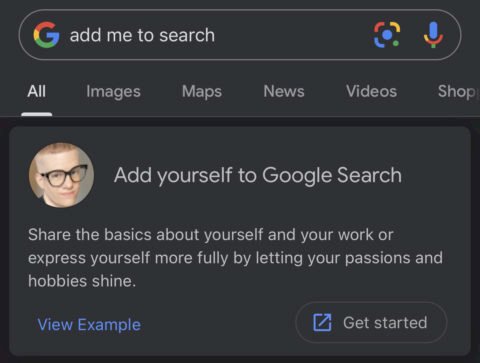
Step 2: Search your search engine for “ edit my people card“or” add me to google ” and click Get Started.
Step 4: Embed the image from your Google account through https://myaccount.google.com/ To change your photo and basic information.
Step 5: Now, add your description, links to your website, social profiles, phone number or email address. !
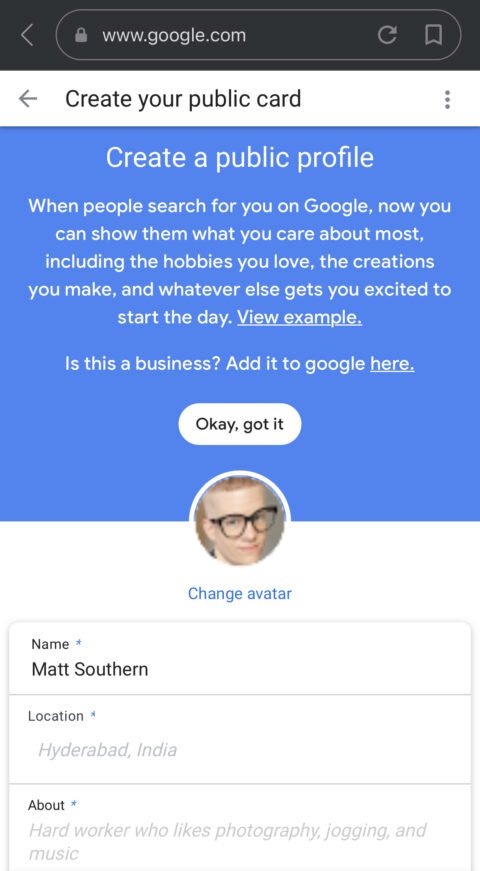
Step 6
After you’ve filled out the fields in Step 5, the only thing left to do is preview the card before publishing it. Once you’re satisfied with how your card looks, save it and it will be instantly indexed in search results. To see what it looks like in search results after you publish it, search for your name.