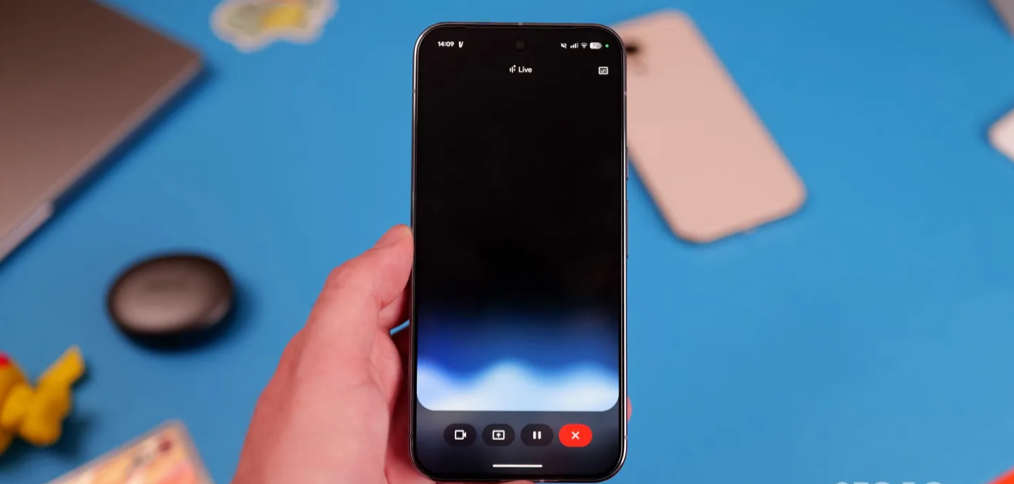
Google launched a new update to the Gemini Live feature on the Android system, where it began replacing the entire interface with a “floating window” design that appears above the screen instead of occupying it completely.
Previously, Gemini Live relied on full-screen mode, and when you exited it a small indicator would appear in the status bar based on the system’s default controls. Now, the new design offers a floating window that visually coordinates with the Gemini window for text commands.
The new interface can be accessed in two ways: either by activating the Gemini floating window and then pressing the Live icon, or by opening the Gemini application and turning on the full Live mode and then exiting to the main screen.

The floating window allows you to start sharing your camera or screen, mute your microphone, and end your session. If you haven’t started a conversation yet, a keyboard button switches to the text input interface, while pressing during a conversation stops Live and opens the transcript. The sound wave diagram also appears in the background, with the ability to show or hide text from the top corner.
When using another application, the pill turns into a small circle that can be moved on the screen, with the ability to expand it by pressing or close it by dragging down, in a manner similar to chat bubbles.
The update began to be rolled out gradually, and appeared on some users of the beta version 17.7 of the Google application, while it was also detected on some devices with the stable version 17.3. This change is expected to coincide with a larger update to the Gemini Live models.