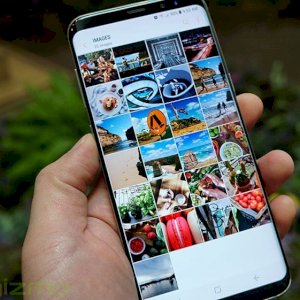
Although the Gallery App is an essential component of any smartphone, many of the default applications that come on Android phones only provide basic features such as sharing, editing, and transfer options. However, if you want to access some advanced features such as hiding photo albums or collecting some photos in an encrypted folder, there are some external applications that provide you with that.
The 5 best applications to hide and organize photos on Android
1- Simple Gallery application:
This application allows you to manage your photos on Android easily, as it features a simple user interface, a quick response when opened, and includes many features such as: editing photos, accessing hidden folders, and supporting different types of files such as: RAW, SVG, GIF, panoramic images, and others. The application also supports a built-in Recycle Bin feature that allows you to recover photos that you accidentally deleted. The paid version – which costs $1 – gives you access to more features such as: protecting access to the application using a PIN or fingerprint, and creating hidden folders. The application is available for free for Android device users on Google Play.
2- Memoria Photo Gallery application:
This application is considered one of the most prominent and most customizable photo gallery applications, and it provides you with advanced features such as: a temporary recycle bin, the ability to hide albums or place sensitive photos in an encrypted folder, in addition to its support for Chrome Cast to display photos on the TV screen. The application is available for free for Android device users on Google Play.
3- F-Stop Gallery application:
This application gives you the option to search through photos based on metadata such as: categories, camera model, and the paid version, which costs $5, offers other features such as: map view, smart albums, password protection, and the ability to create subfolders in one folder, which is very convenient if you have a lot of photos in your phone. The application is available for free for Android device users on Google Play.
This application allows you to edit photos, play videos, and access your photos in cloud storage services. Some advanced features also include a tool for making animated GIFs, in addition to the ability to hide your sensitive photos in a protected folder, and the ability to browse photos through the calendar to look at photos that were taken on a specific day or in a specific place. The application is available for free for Android device users on Google Play.
This application has a simple user interface, and it also has advanced features such as: editing the EXIF data of your photos, creating virtual albums within one album without having to move or copy any files, easily viewing folders from the internal storage or SD card, quickly copying, moving and deleting photos, and the ability to create hidden folders and protect them with a password. The application is available for free for Android device users on Google Play. Arab Technical News Portal 5 applications for managing and organizing photos on Android phones