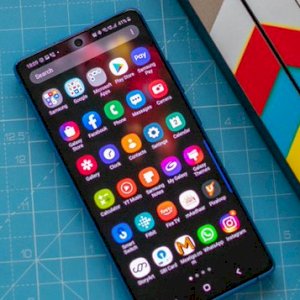
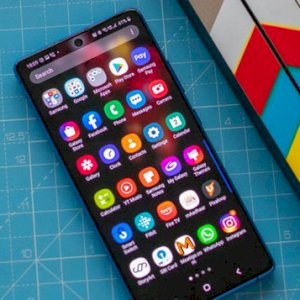
Ladies and gentlemen, on this page is a collection of Android applications that stand alone at the top of Android applications. These applications have become everywhere with Android phones, and if you are looking for good applications with great tasks, it is assumed that you already have some of these applications.
There are a lot of amazing Android applications, however, their usefulness is usually limited to some people who use them, while this group can be used by everyone without any obstacles.
Here are the best Android apps currently available in the store that should be on most of your phones.
1Weather is arguably the best weather app on Android that features a simple, paginated design that shows you the current weather, forecasts for up to 12 weeks, and other fun stats. Besides, customizable tools such as severe weather notifications.
You can see the approaching storms live. Perhaps the best feature is its simple design, and the free version contains all the features with ads.
Bouncer was our pick for the best new Android app of 2018. It is a security app with a unique premise where the app allows you to grant temporary permissions to apps. So, for example, you can allow Facebook access to your location long enough to check in somewhere, and Bouncer disables the permission once you leave Facebook.
This is a great way to use this feature without digging into your settings to disable those permissions or give those apps permanent access to your information.
Google Drive is a cloud storage solution available on Android devices where all new users get 15 GB permanently free when they sign up for the first time. You can of course buy more if necessary. What makes Google Drive so special is the suite of Android apps associated with it.
They include Google Docs, Google Sheets, Google Slides, Google Photos, Gmail, Google Calendar, Google Keep, the Photos app (which allows unlimited copying of photos and video), and Keep Notes for note-taking.
Download the application
-
Two applications Waze and Google Maps
Google Maps is literally at the top of the navigation app scene and remains one of the best Android apps ever for navigation and maps as it gets frequent, almost weekly updates and adds to its list of incredibly new features.
Aside from the basics, Google Maps gives you access to places of interest, traffic data, directions to things like stops or gas stations, and it even lets you get offline maps now.
If you add to that the Waze experience, which includes a lot of its own features, you’ll never need another navigation app. Google and Waze also have them. They’re unique and fun apps in ways that Google Maps doesn’t and we highly recommend them.
Download the Google Maps application || Download the Waze application
-
Google Assistant app
This is one powerful application that also works on most Android devices. Simply download the app and then enable it. From there, you can ask whatever you want and it supports a variety of commands that enable you to solve simple mathematical problems and search for what you want with ease.
-
LastPass Password Manager app
LastPass is one of the must-have Android apps and password manager that lets you save your login credentials in a secure manner. Furthermore, it can help you create strong and almost impossible to crack passwords for your various accounts.
The Microsoft SwiftKey Keyboard is one of the most powerful and customizable external keyboards available. It entered the market several years ago with a predictive engine unlike any other keyboard and the app has grown a lot over the years.
It is a free app and you can purchase some add-ons if you wish.
Firstly, Nova Launcher is an application that allows you to change the basic interfaces of the Android system. It comes with a set of features, including the ability to backup and restore home screen settings, many customization elements for the home screen and app drawer, and you can also make it look like Pixel Launcher if you wish.
-
Podcast Addict app
Podcast Addict is an excellent podcast app for podcast lovers. It features almost all the features of a podcast app. Plus, it has a simple and efficient user interface, plenty of organizational features, and plenty of playback and download features. You can browse podcasts by category or search for them individually.
-
Android Messages app
There are a lot of great SMS apps out there, however, two stand above the rest. Android Messages features GIF support, password-protected chats, a blacklist of spammers, dual SIM support, and more. Both of these applications also provide SMS messaging from your desktop.
-
Solid Explorer application
Browsing files is something everyone loves to do or do, so you can also do it with a great file browser and Solid Explorer is a good one and features a nice design, archiving support, support for most popular cloud services, and even some powerful user elements like FTP, SFPT, WebDav, and SMB/CIFS support. And it works well. There is a 14-day free trial and a $2.99 price at the end of it. This is, by far, the best file manager on Android for most people.
-
Tasker or IFTTT app
Tasker is a great app only if you have the patience to learn how to use the app. What it does is allow users to create custom commands and then use them in different places. There are many applications that have Tasker support and you can even use Tasker to create very complex commands for NFC tags.
It’s hard to explain what this app can really do because it can do so many things. Between the supported apps, the plugins it adds, and the sheer amount of things you can do, there aren’t many apps as useful as this one. IFTTT is another excellent automation app. In some cases, it may be better than Tasker thanks to its simplicity and wide range of uses. Tasker is also available for free as part of Google Play Pass.
TickTick is not as popular as other to-do list apps. However, it may be for the best. It covers the basics like recurring tasks, reminders, notifications, various organizational features, and categories.
The app also lets you share tasks and entire classes with other people.
-
application Video Editor & Video Maker – InShot
The best free HD video editor and video maker with all features, cut video/movie, blur background and no crop, add music and video effects to your own and made video.
Last on our list is Zedge, a premium wallpapers, ringtones, alarm tones, and alert tones app that gives you an incredible number of options to customize the essential parts of your device. Plus, there’s a comprehensive set of things Zedge does that make your phone easy to personalize.
You can find out more: Free Android applications for a limited time