Improve your Instagram experience by blocking those who harass or annoy you There is no doubt that Instagram is a great place to keep up with the photography shoots of friends and family, as well as follow celebrities and VIPs who share their lives on the social media platform Instagram.
But unfortunately, it is also possible to encounter some naive people who work to leave bad comments on your daily posts or in general make the process of browsing on Instagram less enjoyable, so there is no need to worry because there is a quick and easy way to block them and get rid of them so that they do not spoil your followers and posts.
What does blocking on Instagram do?
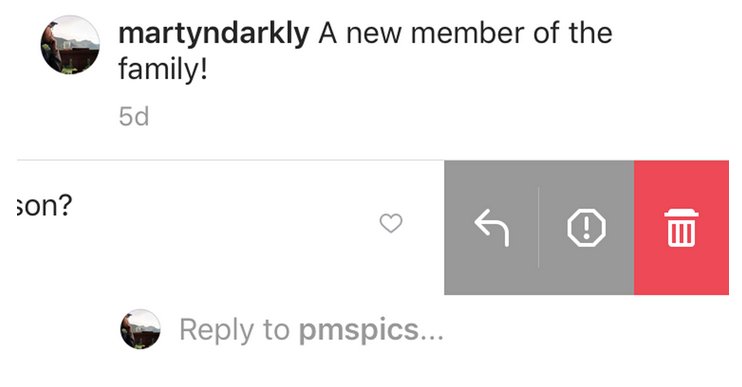
When you block someone on Instagram, he will no longer be able to find his profile or posts, which means that he will not be able to comment on your posts. As for the messages, they will remain on your screen even after the ban, but they can be deleted by clicking on them and then swiping them to the left if you are using iPhone or iOS phones, or clicking and holding on Android phones and then selecting the delete option.
Will the person know that I blocked him on Instagram?
When you block someone, Instagram does not notify you that you have blocked them, but of course, it will eventually know when it realizes that your account is no longer accessible.
How to block someone on Instagram
It’s very easy to unfollow someone and block them permanently.
- Open the Instagram application on your phone.
- Click on the person you want to block.
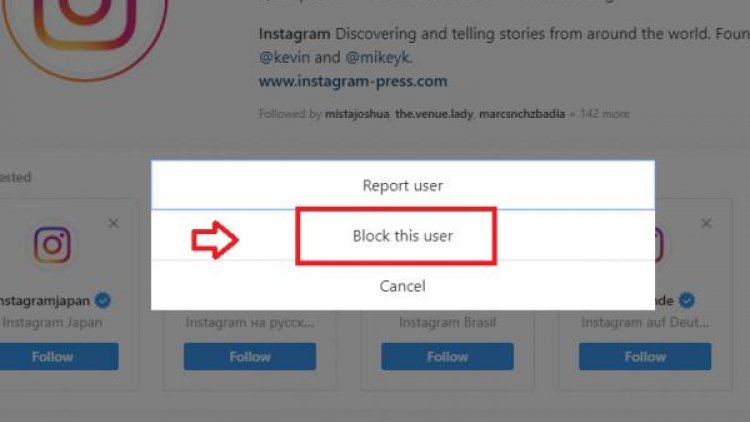
- Click on the three dots in the upper-right corner of their profile
- Finally, click on the Block option from the menu that appears as in the picture.
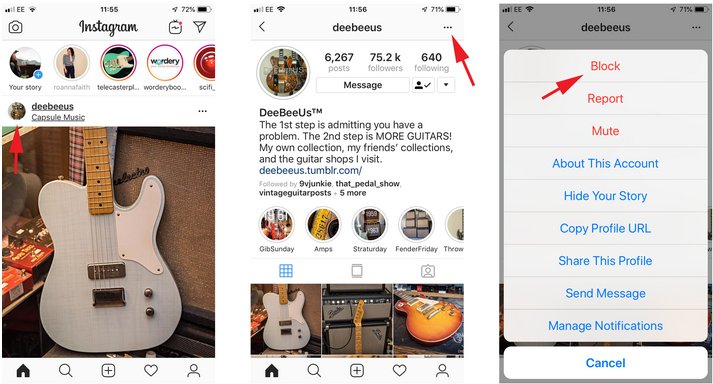
From now on, the blocked person will not bother you on posts or comments, and will no longer be able to see your content and posts.