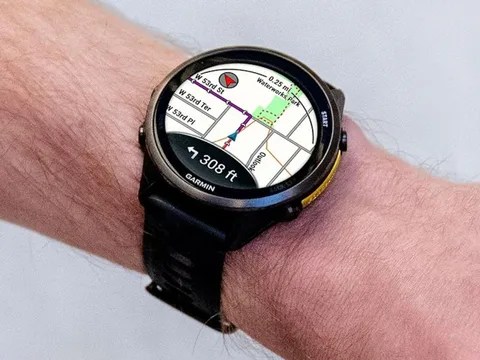
Garmin officially announced the launch of its new software update, which bears version number 16.37, to support five of its most prominent smart watches. This important stable update targets the Venu 4, Venu
Recent posts on the company’s official forum revealed details of the noticeable improvements that this software update brings. The new version focuses on providing tangible upgrades in the performance of the course planning tool designated for Forerunner smart watches to help athletes plan their routes with greater accuracy. The release notes also indicate updating and developing text translations within these wearable devices, although the manufacturer did not specify the exact list of languages included in these linguistic improvements.
This stable update brings a series of important software fixes to address three major errors that users encountered. The first and second fixes focus on solving the problem of sudden crashes and system cessation, which sometimes occurred when users connected their smart watches to wireless headphones, or while engaging in intense, high-effort exercises such as HIIT activities, to ensure stable performance and continue sports exercises completely smoothly and without any interruption.
The third and final software fix addresses a technical problem associated with the daily goal alerts feature designed to motivate users. Garmin engineers succeeded in solving this annoying glitch that previously caused only one alert for a sports goal to be displayed throughout the entire day instead of multiple alerts, which restores this feature to its true effectiveness in tracking physical activity and encouraging athletes to achieve their health and physical goals continuously and effectively throughout all hours of the day.
The new and stable software update is currently available to all users of the aforementioned watches, the most prominent of which is the Forerunner 970 model, which is available at a price starting from 714.99 US dollars. This update automatically arrives on devices as soon as they are synchronized with the Garmin Connect App or Garmin Express. Alternatively, users can download the update manually by going to the Menu menu, then selecting System, followed by Software Update, and finally clicking Check For Updates to immediately begin the installation.