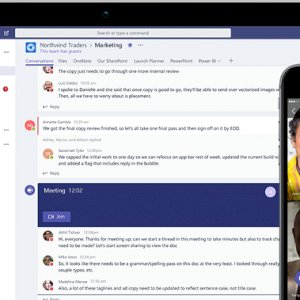
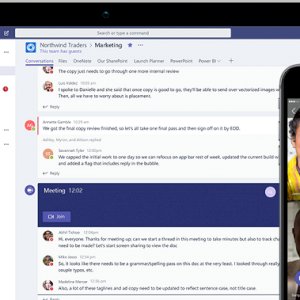
Microsoft Teams – Microsoft Teams
The video calling application (Microsoft Teams) has witnessed significant growth during the recent period with more than 44 million daily users, as the application provides many advantages that have become very popular with many people working from home in light of the current period of home quarantine and disruption of schools due to the Corona virus Covid.
7 features you should know about in the Microsoft Teams app
- Share and send conversations With the latest update to the Microsoft Teams application, you can share a direct conversation via email without leaving the application. All you have to do is click on the More Options option, then select Share to Outlook, and choose the recipient and email address to send it.
- Set tags to communicate directly Tags in Microsoft Teams allow users to communicate with a subset of people on the team. Tags can be added to one or more team members to easily communicate with a group of people. The team manager can add one or more tags to a person, and then you can use the @ tag in a channel post or to start a conversation with the people you choose.
- File syncPowered by Sharepoint, users around the world can sync files directly from the app to their computers, see document previews of more than 320 file types, pin files to the top, and save the most important files directly to their devices.
- Add applicationsUsers can also use their favorite applications within the application, and to find an application you can follow the following steps: Go to the Apps tab on the left side of the application. Find the app you want, or browse app categories to see what apps are available. Once you select the application, press the Add button, and the application can then be added as a tab in channels, group conversations, or individual conversations through the Add a tab button
- Mute notifications If you need some focus to finish your tasks, you can turn off notifications in Microsoft Teams channels with the following steps: Go to the conversation. Click on (More options). Choose Turn off notifications
- Install personal applications : You can now pin personal applications to the Teams application bar on the left side, making them more accessible, by selecting the application, right-clicking on it, and choosing (Pin Pin).
- Recording meetings : All Microsoft Teams users can now record meetings, conference calls, video sharing and screen sharing activities, which can be useful during long presentations or when discussing important information.